
Countdown prices: the timer on the listing keeps running after you pay
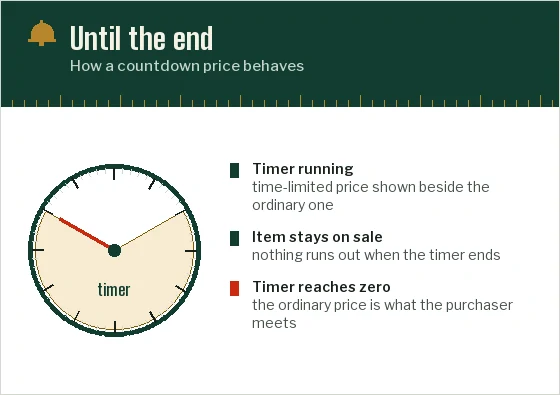
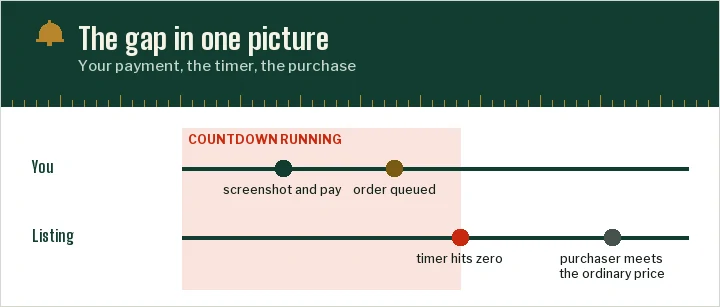
A countdown rarely loses you the item; it loses you the difference. The purchaser meets whatever price the listing shows when your order is reached.
Countdown prices on an ordinary listing
A countdown label indicates a time-limited offer, for example 限时折扣 or 限时特价. When it ends, the item may remain at another price, sell out or become unavailable. Read the actual offer terms; the timer does not guarantee continued stock.
The risk can be a price change, loss of availability or a condition the purchasing account does not meet. Keep the quoted amount and selected option, and ask what should happen if the offer changes before purchase.
The figure you saw and the figure the purchaser meets
A figure shown when you submit a link may differ from the amount available when a purchaser checks out. Confirm the selected option, offer conditions and your maximum acceptable amount. A countdown is only one condition: stock, eligibility, payment and the agent’s ability to act also matter.
A screenshot of the listing with the timer and your clock visible is worth more than any argument later. It shows what you saw and when.
Event prices and the lock on editing
During platform events the countdown is the event itself. Taobao's 2024 flash-sale festival rules (festival rules, 10 April 2024) describe a warm-up, an official start and an end time, and they restrict sellers from editing the listed price or raising the event price of registered items for a set period. When the event closes, the event price stops applying and the listing returns to its own terms.
So an event countdown is firmer than a shop's own timer: the end is fixed by the platform, not by the seller. That helps you plan, but it does not help the purchaser get there sooner. If the event ends at midnight Beijing time and your order is reached the next morning, the event price is gone.
Timers printed into the photo
Some countdowns are not timers at all. Sellers often bake a banner into the main photo reading 限时 or 今日特价 (today's special) with a clock graphic and a figure. It is part of the picture, it never moves, and it can stay on the listing for months.
A moving timer and a clock printed inside a photo are different evidence. A static banner may describe an offer but does not demonstrate that it is active now. Read the dated terms and the price for your selected option, then confirm the amount the purchaser can actually pay.
Telling the purchaser where to stop
A ceiling in yuan can make your request clearer: state the maximum for the selected option and whether to pause or cancel above it. Ask whether the agent can follow that instruction; a note does not itself authorise a process the service has not accepted.
- Name the timed price you saw and attach the screenshot if the order form allows it.
- Give the ceiling in yuan, and say whether it includes the domestic delivery to the warehouse.
- Say whether to cancel or to ask you first if the price is above the ceiling.